It answers about your products.
At three in the morning too.
The assistant that answers your e-commerce customers by reading your catalogue, not the web. It says it is an AI, and it hands the conversation to your team when the question isn't for it.
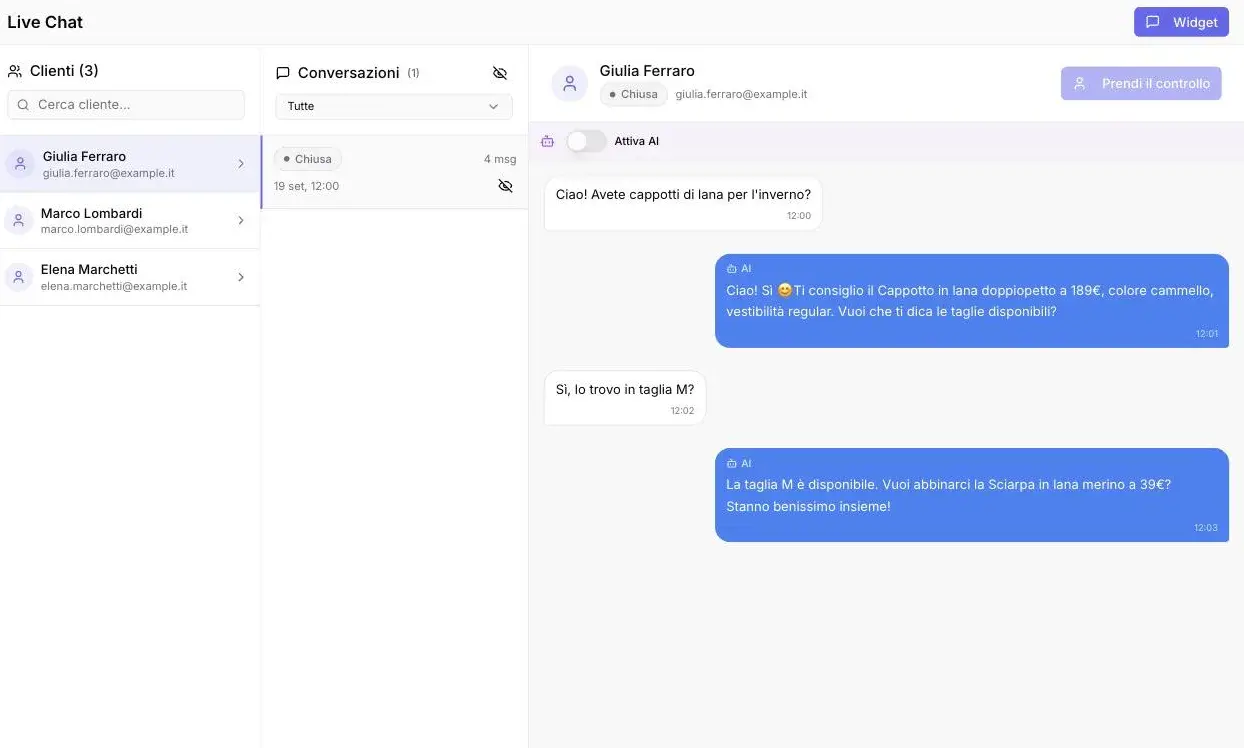
The questions arrive when nobody is there
After hours, everything waits
«Do you have it in my size?» lands at eleven at night and gets an answer the next morning, by which time the customer has bought elsewhere.
It's always the same questions
Sizes, shipping, returns, order status. The answers all exist, written down somewhere, and someone retypes them by hand every day.
The channels don't talk to each other
Some write on the site, some on WhatsApp, some on Telegram. Three places to watch, and nobody watching all three.
What it does
It answers from your catalogue
It reads your products, your FAQs, your return policy. When the answer isn't in your data it says so, instead of making one up.
It answers at night
The widget is live while the shop is closed. Response time is measured, not promised: you see it in the dashboard.
It hands over to a person
Your team joins the conversation whenever it wants and sees everything said before. The customer sees that the person on the other side has changed.
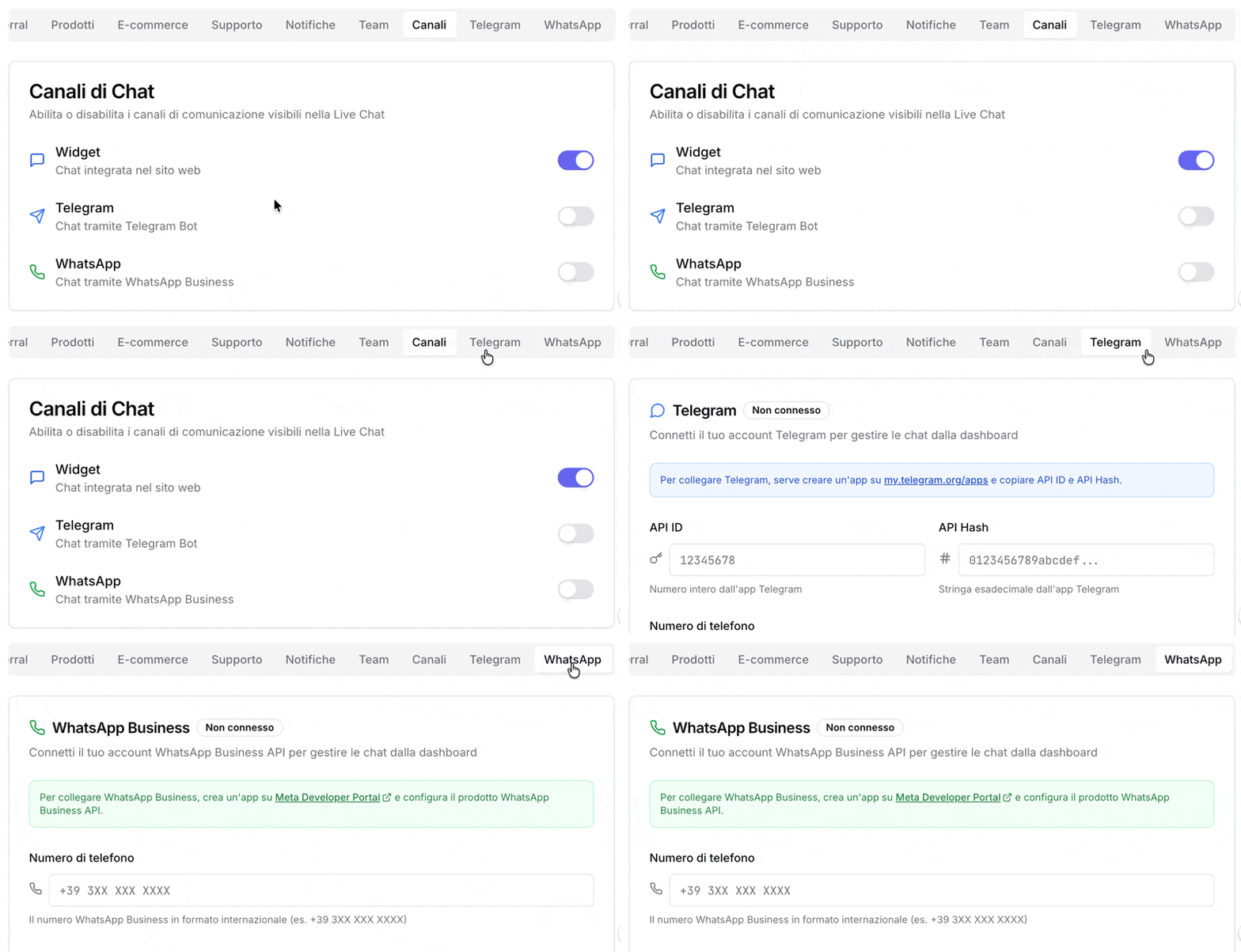
Three channels
Widget on your site, WhatsApp and Telegram. The same assistant, the same catalogue, three places your customers write from.
You build the persona by answering questions
Type of business, tone, goals. Out comes a system prompt, a greeting and sample conversations, which you can edit by hand.
You see what they ask
Conversations, most requested products, most frequent questions. It's there to show what your product pages are missing, not just to draw a chart.
How it works
Connect your store
Shopify or WooCommerce, over the API. A few minutes.
The catalogue gets indexed
Your products are read and indexed. You add the FAQs, the return policy, whatever documents you want.
Build the persona
Tone, goals, what it must not say. This is the part worth the attention: half an hour, not ten minutes.
Turn on the widget
The widget goes on your site. WhatsApp and Telegram connect whenever you want.
Connect your store
Shopify or WooCommerce, over the API. A few minutes.
The catalogue gets indexed
Your products are read and indexed. You add the FAQs, the return policy, whatever documents you want.
Build the persona
Tone, goals, what it must not say. This is the part worth the attention: half an hour, not ten minutes.
Turn on the widget
The widget goes on your site. WhatsApp and Telegram connect whenever you want.
It connects to Shopify and WooCommerce


A direct API connection. Catalogue products realign on a schedule — you choose the interval — and you can force a realignment when you change prices.
On Magento, PrestaShop and home-made catalogues there is no ready-made connector: the catalogue is uploaded as a file and updates when you upload it again. If you need a direct connection, that is custom work and we quote it.
Three channels, one assistant
The same catalogue and the same persona answer on the widget, on WhatsApp and on Telegram. Your team reads and replies from the dashboard, on all three.
Website, WhatsApp, Telegram
The AI first, then you
The assistant answers first. Your team steps in when it needs to, and the customer sees that it has.
The conversation updates while you watch it
Messages reach the dashboard without reloading the page: whoever is following a chat sees the replies appear.
Saved replies and reminders
The texts you rewrite every day get saved once. A reminder on a conversation keeps it from getting lost among the others.
Tags, notes and priority on contacts
On Telegram, contacts also have free-form fields — usual size, VAT number, department — that the assistant reads while it answers. On the other two channels this isn't there yet.
Create AI personalities. With a few simple questions.
ShopBrain's persona wizard lets you build AI assistants that match your brand's voice and goals — no prompt engineering required.
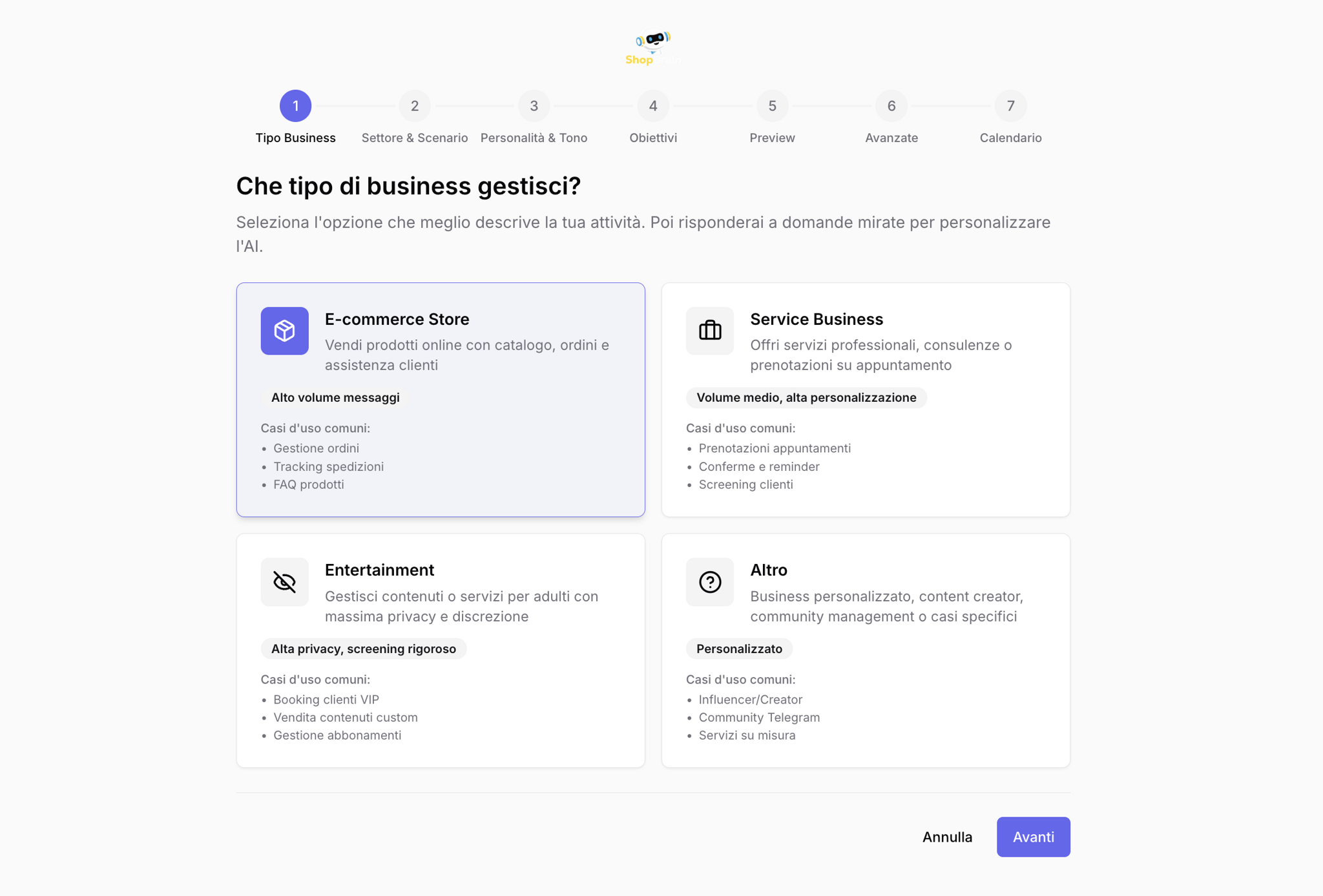
Business Type
E-commerce, service, or custom.
Complex personalities, simple questions
The wizard asks, AI builds. No prompt writing needed.
The thread of the conversation
What the customer has already written in the ongoing conversation stays in context: size, model or order number don't have to be repeated with every message.
Several models, European providers
Pick the engine among the models that meet the European policy, all served by providers established in the European Economic Area.
Where it stops
Your customers' questions
don't wait for opening hours.
Fourteen days of trial, no credit card. You connect the store, build the persona, and see how it answers about your real products.