ShipBrain: shipments
under your own brand
The platform a logistics operator uses to manage its clients' shipments under its own brand. The logo in the top-left corner is yours, not ours.
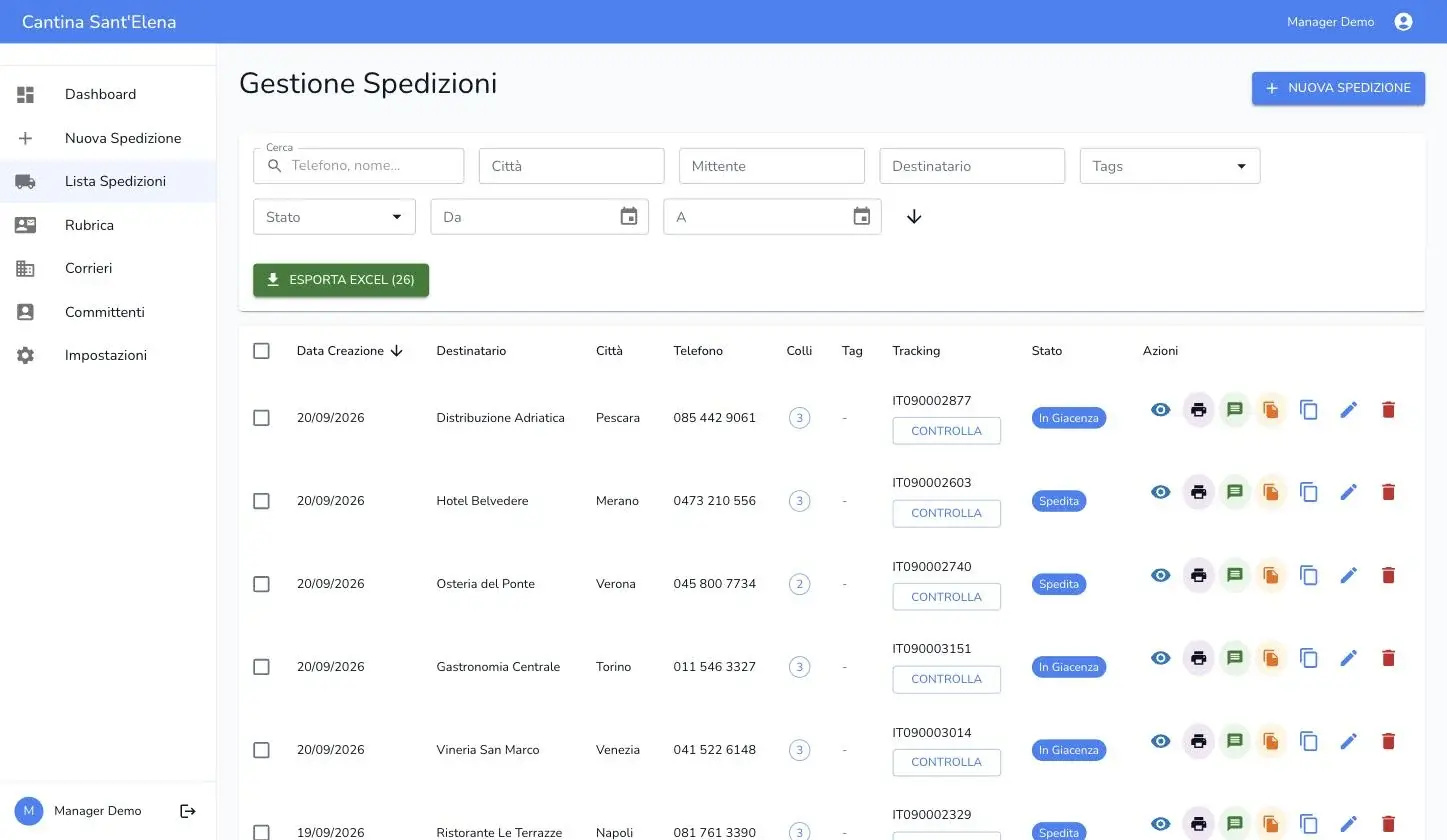
Where did the goods go? Only the person answering the phone knows
Tracking goes through the switchboard
Every “where is my order?” becomes a phone call to someone who has to look the code up by hand.
Shipments live in a spreadsheet
Sender, recipient, parcels and carrier scattered across Excel, email and the carriers’ own portals.
Every client in the same pile
With several companies to serve, their shipments end up in one archive, and splitting them by client becomes manual work.
The carrier owns the relationship
If your client checks the shipment on the carrier’s website, the brand they see every day is the carrier’s.
What it does
White-label per tenant
The tenant’s logo and name replace ours across the platform. Whoever logs in sees the brand of whoever gave them the account.
Genuinely isolated multi-tenancy
Shipments, address books and users are separate per tenant, with permissions enforced on every query — not just hidden in the interface.
Address books and parcels
Clients, carriers and commissioners on file; every shipment carries its parcels with weight, dimensions and contents.
Poste and SDA tracking
The code is recognised from its format and the status is pulled from the carrier in one click, without leaving the platform.
Role-based permissions
Tenant admins and operators see and do different things. The super admin manages tenants, not their shipments.
Filterable list and export
Filter by status, period, city, recipient and tags. Whatever you filtered comes out as a CSV file, exactly as it is.
Getting started
We open your tenant
A space of your own, with your logo and name in place of ours. You create the users and decide their roles.
You load the address books
Clients, carriers and commissioners — the ones you need right away. The rest gets added as you work.
You record shipments
Sender, recipient, parcels and carrier. The tracking code stays attached to the shipment, not to an email.
Keep your consignors in the address book
Every shipment carries its consignor, and you filter by them when they ask how it's going. They don't log in: what you give them is the file.
We open your tenant
A space of your own, with your logo and name in place of ours. You create the users and decide their roles.
You load the address books
Clients, carriers and commissioners — the ones you need right away. The rest gets added as you work.
You record shipments
Sender, recipient, parcels and carrier. The tracking code stays attached to the shipment, not to an email.
Keep your consignors in the address book
Every shipment carries its consignor, and you filter by them when they ask how it's going. They don't log in: what you give them is the file.
The life of a shipment
What actually happens inside ShipBrain, from pickup to delivery.
It gets recorded
Sender, recipient and commissioner come from the address books; a new address is added without leaving the page.
The parcels get counted
Weight, height, width, length and contents for each one. The list shows how many there are so nobody recounts them.
A carrier is assigned
Carrier and tracking code stay tied to the shipment, and you find them months later by searching the recipient.
The status is requested
One click on “Check” queries Poste or SDA and returns the answer normalised — the same shape for both.
It is followed to the end
Held, shipped, in transit, delivered, returned: the same statuses for everyone, including the carriers you track by hand.
It gets exported
The filter in front of you becomes a CSV file: for the client, for accounting, or to close a dispute.
Frequently asked questions
Your clients’ shipments,
under your brand.
A platform that is ready, your tenant under your brand. Let’s talk it through on a demo.